How to Uninstall Oqody from Your System #
Introduction #
Thank you for using Oqody. If you have decided to uninstall the software, we appreciate your time and hope that your experience has been valuable. This guide will assist you through the uninstallation process efficiently.
Standard Uninstallation (Windows) #
Please follow these steps to remove Oqody from your Windows system:
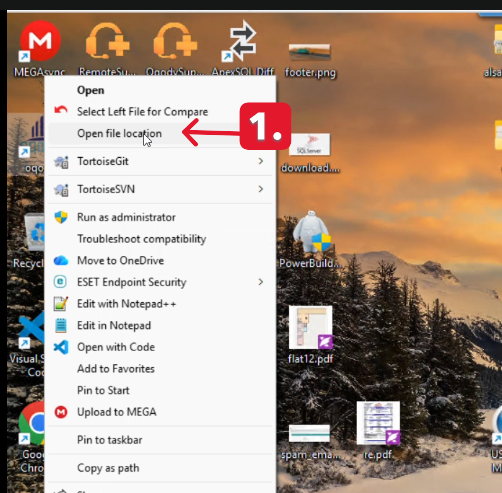
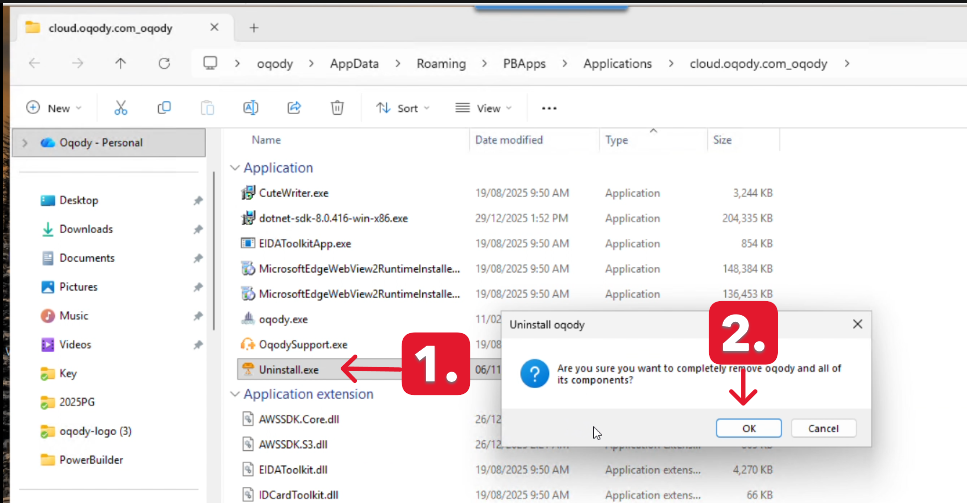
The first method is as follows: #
- Right-click on Oqody icon.
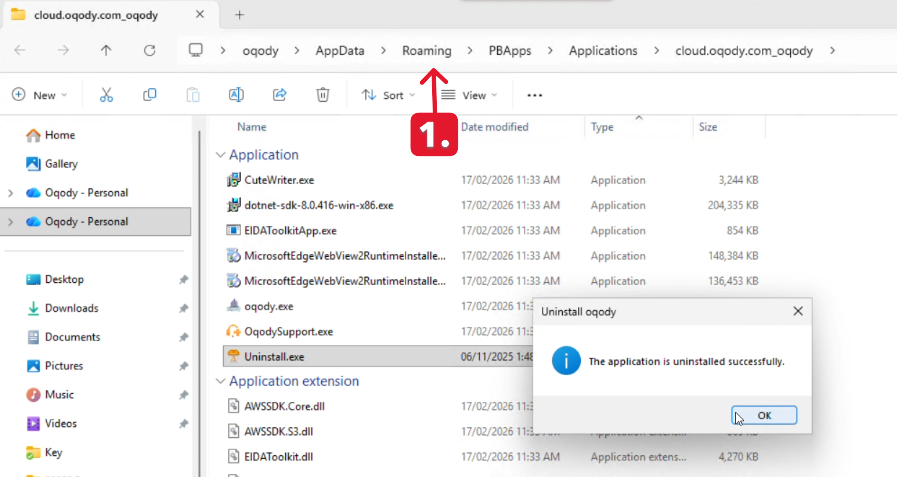
- select “Open File Location.
- The Uninstall.exe icon.
- Click on it.
- select “Yes” to proceed.
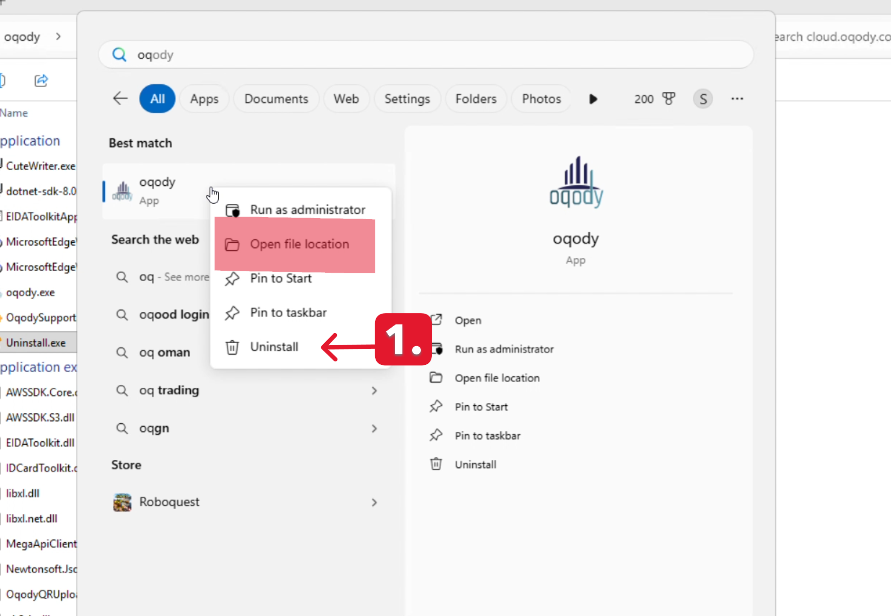
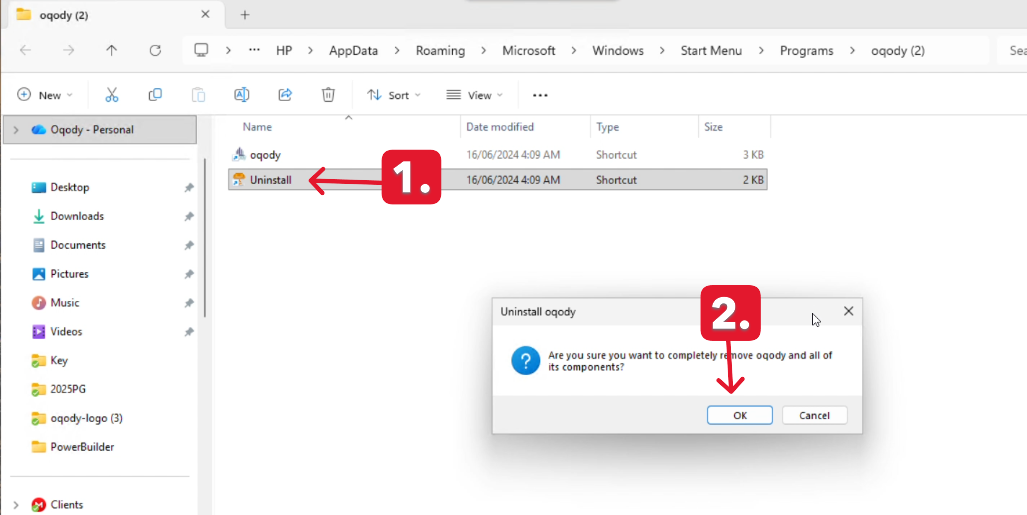
The second method is as follows:
- click on Start window
- Search Oqody app.
- Right-click on Oqody icon.
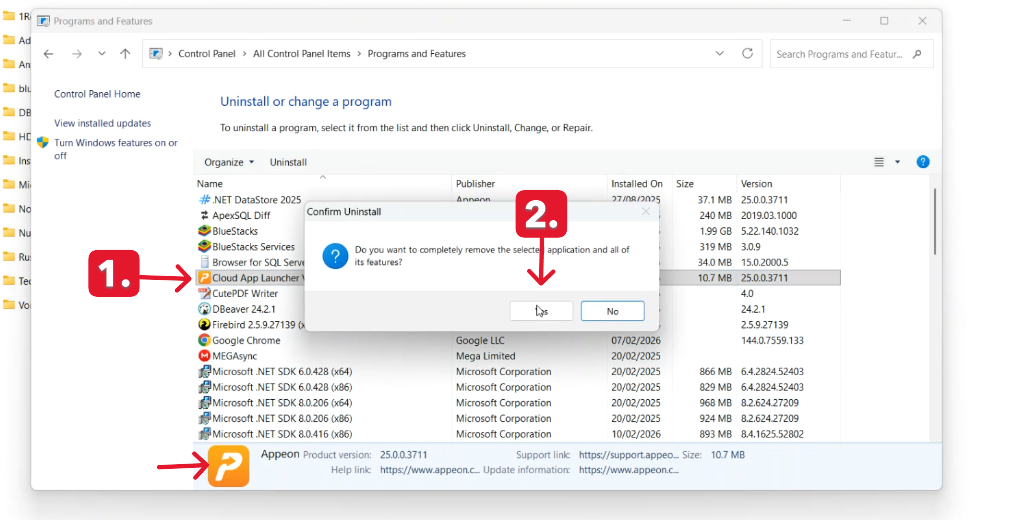
- select “uninstall” to proceed
To ensure the application is fully uninstalled, make sure to delete the following folders as well:
- Cloud App Launcher
- PBApps
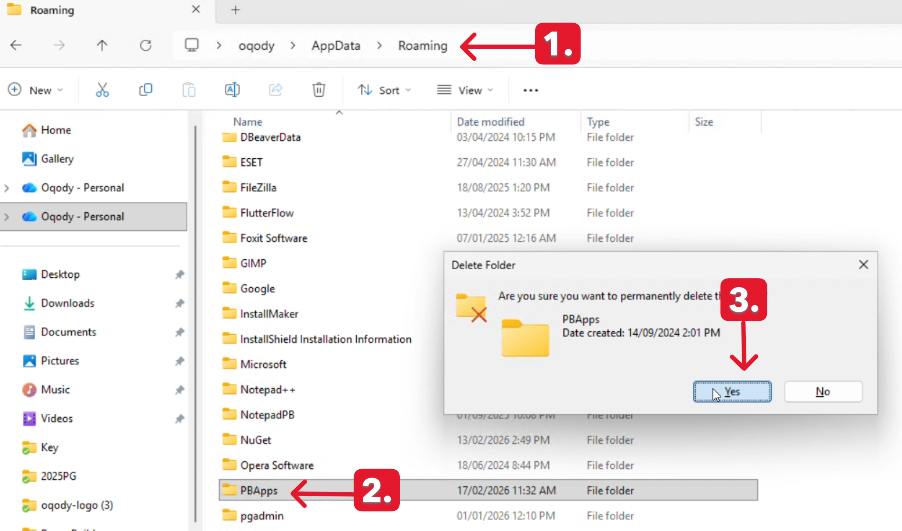
This will help guarantee a complete and clean removal of all related files.
Still need help? Contact us at info@oqody.com .


Join The Discussion