- Select Settings from the top menu.
- Then select Users from the menu.
- Create user
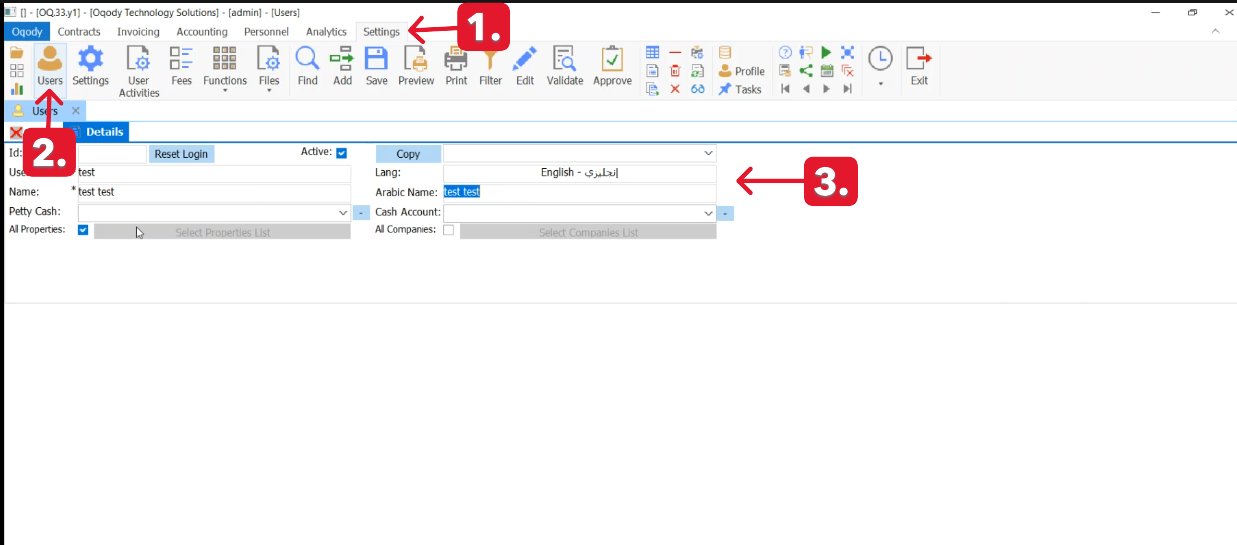
- After Create User
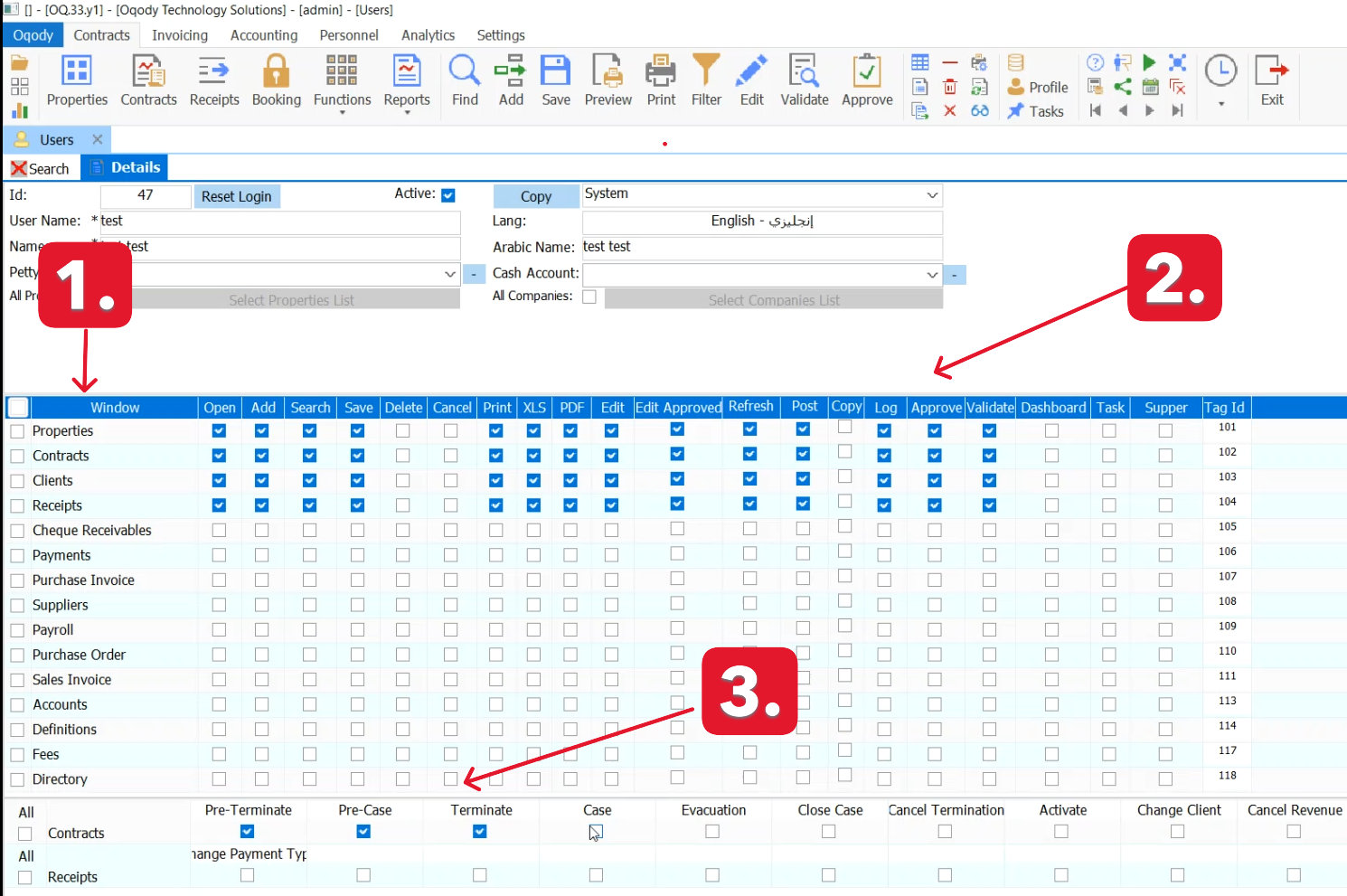
- A Users Authorities menu will appear.
- allowing you to select and assign the appropriate permissions for the user.
“Still need help? Contact us at info@oqody.com .


Join The Discussion